The perception gap: what you say about your brand vs what AI says
Your website says one thing, ChatGPT says another. How we measure the gap between your positioning and the claims AI repeats, and how clearer owned pages close it.
The perception gap is the distance between the story you tell about your brand and the story AI engines tell when someone asks about you. Your homepage might say "the fastest way for agencies to report on client campaigns". ChatGPT might say "a reporting tool that's popular with small businesses, though it can feel limited for larger teams". Both sentences describe the same product. Only one of them reaches the buyer who asked.
We start most perception work by putting those two stories side by side. It's a simple exercise, and it usually explains more than any dashboard score does on day one.
Why the two stories drift apart
AI engines don't read your positioning statement and adopt it. They assemble an answer from what they retrieve for the prompt, plus whatever the model absorbed in training. Your site is one source among many. Review pages, comparison roundups, forum threads, and old press coverage all describe you too, often in the buyer's own words, and often from a version of your product that's two years old.
Your own site can widen the gap as well. Positioning copy tends to be abstract ("built for modern teams") while engines repeat concrete claims ("integrates with HubSpot", "no free plan"). If your pages never state the concrete facts plainly, the engine takes them from wherever it can find them. Old blog posts that contradict the current pricing page, a product that was renamed but still has its old page live, a features list buried in a PDF: each of these hands the engine a different story from the one you're telling now.
Step 1: write down what you claim
Before looking at any AI answer, write your side down as claims, not slogans. Aim for ten to fifteen short sentences a buyer could check:
- Who it's for: "Built for agencies managing ten or more clients."
- What it does: "Pulls data from Google Ads, Meta, and LinkedIn into one report."
- What it costs, in words: "Priced per client, with a free trial."
- What it doesn't do: "Not a social media scheduler."
- How it compares: "Faster setup than the enterprise suites."
That last category matters. If you don't say what you're not, engines sometimes fill the gap by lumping you with the wrong category.
Step 2: collect what AI claims
Doing this by hand means asking the same prompts across several engines, copying the answers into a document, and highlighting every sentence about you. It works for an afternoon. It doesn't work as a monthly habit across ChatGPT, Perplexity, Gemini, Google AI Overviews, AI Mode, and Copilot.
In Promptwatch, the platform we run client programs on, Brand Narrative does the collection. It reads every tracked response that names a tracked brand and pulls out the individual claims, keeping the exact sentence each one came from. A claim is only kept if its quote appears word for word in the response and runs to at least four words. Repeated claims are grouped even when they're worded differently, so you see how often engines say each one and which models say it. Brand Narrative is included on every plan.
Promptwatch announced Brand Narrative and Fact Check together in its October 30 changelog. The radars in that post use example brands, so treat them as an illustration of the layout.
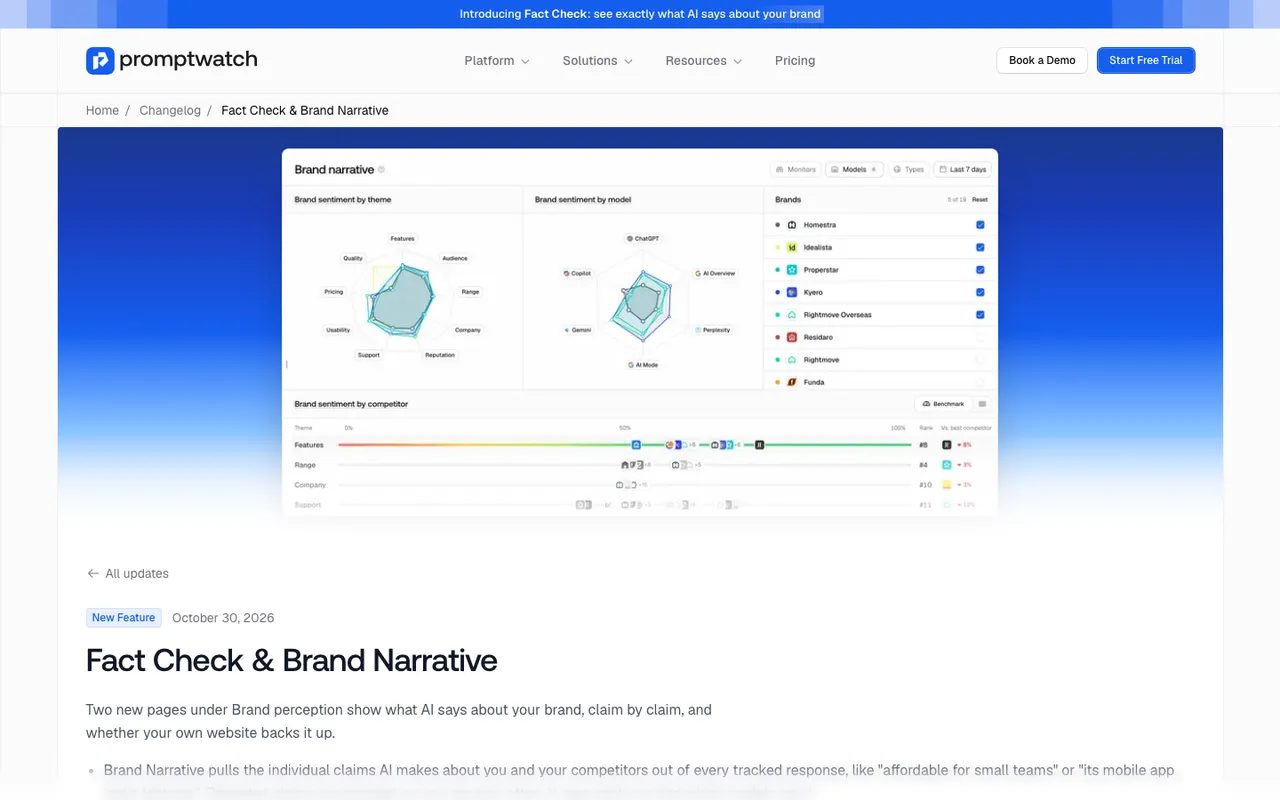 Promptwatch changelog, Fact Check and Brand Narrative (October 30, 2026), captured November 14, 2026. The radars show example brands.
Each claim is filed under one of nine themes: Pricing, Features, Quality, Usability, Range, Support, Reputation, Audience, or Company. That filing is what makes the comparison with your own list practical. Your "who it's for" claims line up against the Audience theme, your capability claims against Features, and so on.
One rule to know: claims that state a price are dropped from Brand Narrative, because prices change too often to be a useful narrative. Price framing ("affordable", "pricey") still comes through under Pricing. Exact figures you read in the responses themselves.
Step 3: lay them side by side
We use a plain three-column sheet. Your claim, the closest AI claim, and a verdict.
| Your claim | What AI repeats | Verdict |
|---|---|---|
| Built for agencies | "Popular with small businesses" | Gap: wrong audience |
| Pulls data from three ad platforms | "Integrates with Google Ads and Meta" | Partial: one source missing |
| Free trial available | Nothing said | Silent: AI doesn't know |
| Not a social scheduler | "Also offers post scheduling" | Wrong: needs a check |
(Acme-style example, not a real client.)
Four kinds of row come out of this. Matches are fine. Partial matches usually mean a fact is stated weakly on your site. Silences mean the engine has nothing to go on, which is the easiest kind of gap to close. And contradictions need a closer look, because a contradiction can be the engine's mistake or a sign that your own site disagrees with itself.
Step 4: find out where a wrong claim comes from
For the contradictions, Fact Check is the tool we use. You mark a claim about your own brand Accurate or Inaccurate, and the check reads two sets of pages: every page Promptwatch has crawled from your site, and up to 50 of the most-cited pages AI answers used alongside the claim. It then quotes the sentences it found and gives the claim one of five outcomes: Confirmed, Leans confirmed, Conflicting, Leans conflicting, or Inconclusive. A check usually takes one to two minutes and uses Agent Credits, with an estimate shown before it runs.
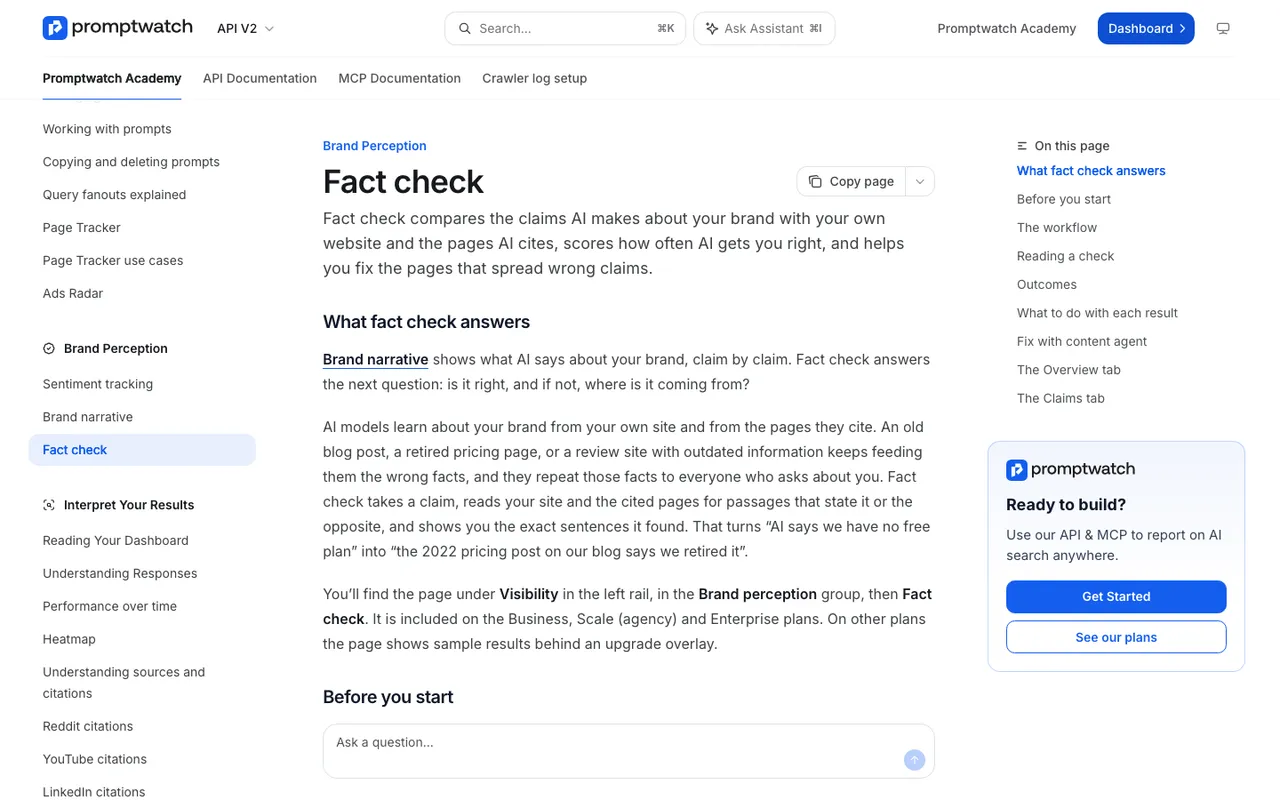 Promptwatch Academy's Fact check page, captured November 14, 2026.
The Academy says something worth repeating to every client: a check reports what pages say, not what is true. It can confirm that your site says you have a free plan. Whether you do is your call, which is why your own mark on the claim matters.
The banner on each check says what the verdict rests on. "Your website contains conflicting information" is the one we see most in gap audits, and it's good news in a way, because the fix is entirely in your hands. "Cited sources contradict this" points at third-party pages, which means outreach. Inconclusive means nobody states the claim or its opposite, which is a silence row from your sheet.
Fact Check is on Business ($579 a month), Agency Scale ($799), and Enterprise.
Step 5: close the gap with clearer owned pages
Most of the gap closes on your own site. The pattern we follow:
State concrete facts in plain sentences. "Built for agencies managing ten or more clients" beats "built for modern teams" because an engine can repeat it. The Academy puts it directly: AI repeats what pages say outright.
Give each fact one home. If your audience, pricing model, or integrations are described on six pages in six ways, pick the page that should answer the question and make the others link to it or agree with it.
Remove the outdated version instead of arguing with it. When Fact Check flags pages on your site, "Fix with content agent" opens a Content Refresh for each flagged page with the sentences to rewrite attached, and asks you to state what's actually true in up to 250 characters. The agent is told to remove the wrong claim and never repeat it, not even to deny it. A page that says "we're not only for small businesses" still puts "small businesses" next to your name. Each refreshed page uses an AEO article from your plan's quota, so this one-click fix applies to Business and Enterprise; agency plans don't include AEO articles.
Fill the silences. For claims your site never makes, add them where a buyer would look: the pricing page for trial details, the integrations page for supported platforms, the about page for company facts.
Handle third-party pages separately. If the verdict rests on cited sources, ask the publisher for a correction with the exact sentence and a link to your page that states the fact. We wrote up that process in when AI repeats a wrong claim from someone else's site.
Step 6: measure whether the gap narrowed
Two numbers tell you. In Brand Narrative, set the date range to the weeks after your change and check whether the grouped claim is repeated less often and by fewer models. In Fact Check, the Overview tab shows an accuracy score from 0 to 100: the share of your brand's checked mentions that are accurate. Your mark wins; for unmarked claims, the latest finished check decides. Inconclusive and unchecked claims don't count. Because every repeat counts as a mention, a wrong claim an engine makes daily drags the score down more than one it made once.
Keep the set of checked claims fixed when you compare months. Checking a fresh batch of claims can move the score without any answer changing.
We can't promise how fast an engine picks up a corrected page, and we don't. What we can show is whether it has been crawled, whether the claim is fading, and which model is still repeating the old version.
What the gap audit won't fix
Some gaps aren't factual. If engines consistently describe your onboarding as slow and your support tickets agree, that's product feedback, not a content problem. Brand Narrative separates negative from wrong only if you do the separating. We mark those claims Accurate, note them for the product team, and move on to the ones we can fix.
If you want to run this audit on your own brand, start the 7-day free trial on Business. It's the plan where Brand Narrative and Fact Check sit together, so you can collect the claims and check the wrong ones in the same week.