What crawler logs tell you about AI brand perception
AI brand perception is built from the pages engines fetch. How we read AI crawler logs, citation rate per page, and self-citation rate to see which pages shape answers.
Crawler logs don't record what an AI engine says about you. They record what it read. For perception work, that turns out to be the more useful half. When ChatGPT describes your product, the description was assembled from pages, and the logs tell you which of your pages were in the pile.
AI crawler logs usually get treated as a technical check: are the bots blocked or not? We use them that way too. But once access is sorted, the logs become a perception tool. They show which of your pages engines fetch while answering, which ones they ignore, and whether the page you'd want quoted is the one being read.
Three kinds of AI bot, and why the difference matters here
AI companies send several bots, and they do different jobs. Lumping them together gives you a traffic number that means very little for perception.
Training crawlers, such as GPTBot and ClaudeBot, collect pages that may end up in a model's training data. What they read can shape what a model believes about you months later, but you won't see a direct line from one crawl to one answer.
Search indexers, such as OAI-SearchBot, Claude-SearchBot, and Meta-WebIndexer, build the index an engine searches when it answers with live results. If they can't read a page, that page is unlikely to be retrieved for an answer.
User-triggered fetchers, such as ChatGPT-User, Claude-User, Perplexity-User, and MistralAI-User, fetch a page while answering a specific person's question. This is the closest thing to watching perception being built. A ChatGPT-User request for your pricing page means that page was pulled into an answer someone was waiting for.
Promptwatch changed how it classifies these on November 4, 2026. Search indexers now count as AI crawls, and citation crawls are only the bots that fetch a page while answering a user, like ChatGPT-User. If you compare periods across that date, citation crawl totals fall by about as much as AI crawl totals rise, and page categories can shift. Worth knowing before you report a drop. For the full list of bot names and what to do with each, see our post on AI crawler bot names.
One naming note: there is no bot called "ChatGPTBot". If a report or a robots.txt file mentions one, it's wrong.
What the logs show, page by page
We run client programs on Promptwatch, and its Agent Analytics is where we read crawler data. The logs are IP-verified: each request is checked against the operator's published IP ranges, so a scraper pretending to be GPTBot doesn't inflate your numbers. You see crawler visits over time, top pages, crawl discovery (which pages bots have found, and which return errors), and status codes.
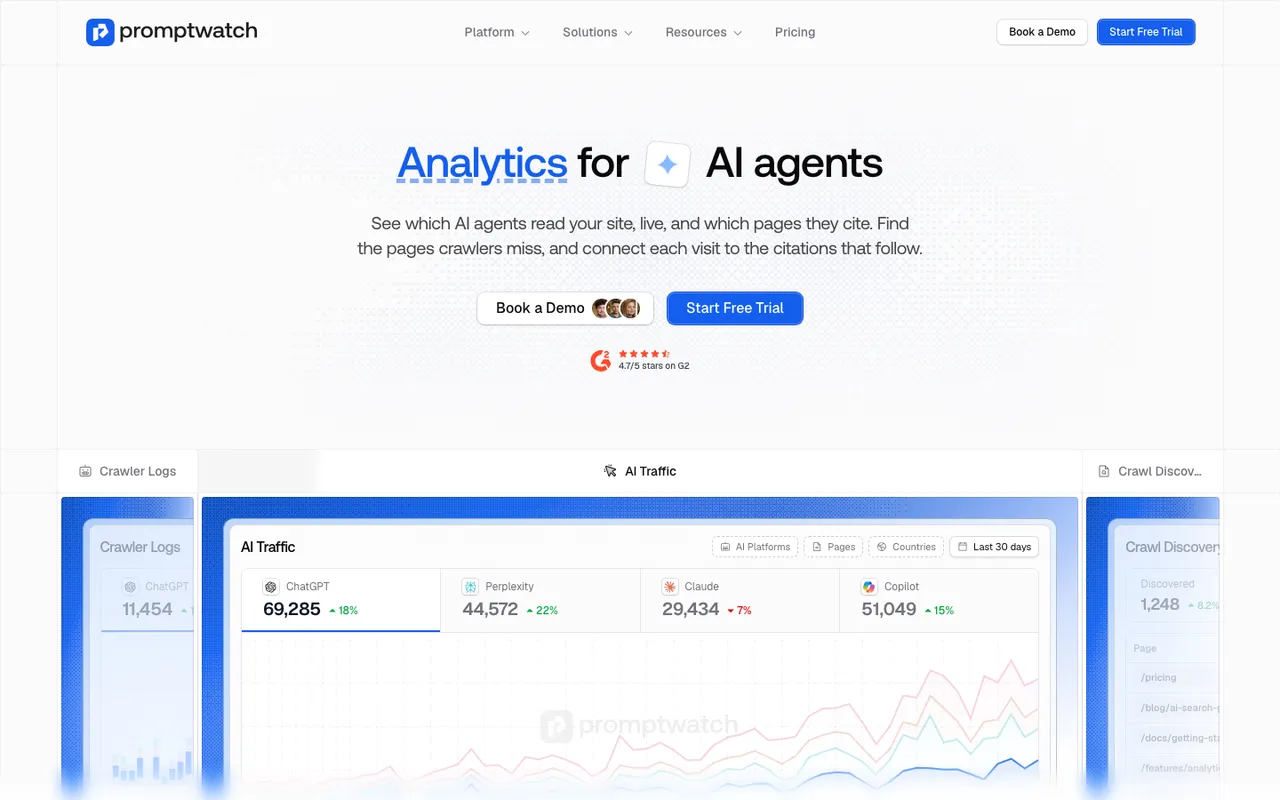 Promptwatch's Agent Analytics page, captured November 8, 2026. The dashboard is Promptwatch's own illustration.
For perception, three views matter most.
Top pages by user-triggered fetches. This is the list of pages engines pull into live answers. Compare it with the pages you'd want them to read for brand questions. If an old comparison post gets fetched more than your current product page, you've found a likely source of an outdated description.
Errors on brand pages. A 403 on your pricing page for one bot family, a 404 on an integrations page that moved, a 503 under load. Each one means that engine is building its answer about you without that page. The error tracking includes explanations of why a fetch failed.
Citation rate per page. Agent Analytics connects crawls to citations and shows a citation rate per page. This one number tells an access problem from a content problem. Not crawled means access. Crawled often but rarely cited means the engine reads the page and decides it doesn't answer the question, which is a content problem.
Self-citation rate: whose words build the answer
The second metric we pair with crawler logs is the self-citation rate: the share of all citations in your tracked answers that point at your own domain rather than third-party pages. Promptwatch's Academy describes it as telling you whether AI models build their answers from your content or from what others write about you.
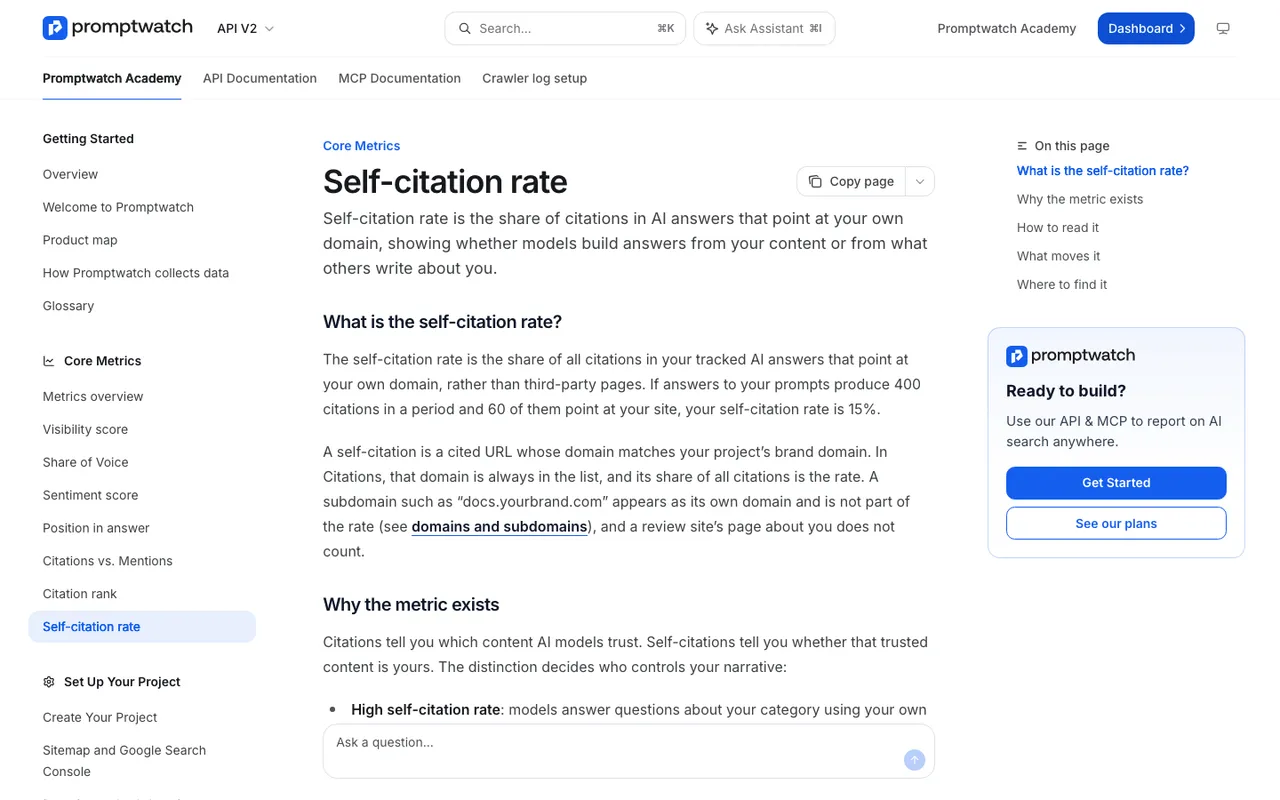 Promptwatch Academy's Self-citation rate page, captured November 14, 2026.
For perception, the split is the point. With a high self-citation rate, engines describe you using your own pages, so updating your site updates the source. With a low one, the description comes from review sites, comparison articles, and forums, and changing it means influencing pages you don't own.
The Academy adds two cautions we repeat to clients. Neither extreme is a goal: a rate near 100% would just mean nobody else writes about you. And prompt type changes the number structurally. Branded prompts ("Acme pricing") self-cite heavily, while category prompts ("best CRM for startups") mostly cite third parties. Filter by prompt type before reading a trend, or a change in your prompt mix will look like a change in the market.
You read the rate in Citations, where your own domain always appears in the domain list with its share of all citations.
Reading the two together
Here's how we combine logs and citations for a perception diagnosis, using a hypothetical brand we'll call Acme.
| What we see | What it usually means | What we do |
|---|---|---|
| Pricing page never fetched by user-triggered bots, errors in crawl discovery | Access problem: engines answer pricing questions without it | Fix the block or error, then re-check the logs |
| Pricing page fetched often, citation rate low, wrong prices in answers | Engines read it and prefer another source | Rewrite the page so it states prices plainly |
| Old blog post fetched more than the current product page | The post is shaping the description | Update or retire the post, point it to the current page |
| Low self-citation rate on branded prompts | Even questions about Acme are answered from third-party pages | Publish pages that answer the branded questions directly |
| High self-citation rate, negative claims persist | Acme's own pages carry the negative framing | Find the sentence on Acme's site and change it |
That last row surprises people. Sometimes the unflattering claim comes from your own help center: an honest "this feature isn't available on mobile yet" written two years ago and never updated.
What crawler logs can't tell you
They can't tell you what the engine said. A fetch is not a citation, and a citation is not an endorsement. The engine can fetch your page, read it, and still describe you from a different source. For the words themselves, you need the responses and the claims extracted from them.
That's why we always join logs with Brand Narrative. Each grouped claim there has a Citations tab listing the pages cited alongside it. When a negative claim cites one of your pages, the logs then tell you whether that page is fetched by user-triggered bots, how often, and whether those fetches succeed. The two views together give you a claim, a page, and evidence that the page is being read.
Logs also say nothing about pages on other domains. If a review site is the source of a claim, your logs won't show it. Citations will.
Setting it up
Crawler logs come from where your traffic is served. Promptwatch takes them from Cloudflare (Logpush or an auto-deployed Worker), AWS CloudFront, Fastly, Vercel and Netlify log drains, Akamai DataStream 2, Google Cloud CDN, a custom HTTP endpoint, or its WordPress plugin. Our post on search indexers versus user fetches covers reading the first week of data.
Crawler logs start on the Professional plan ($245 a month, 25 million crawler logs). Essential doesn't include them. Business raises the allowance to 100 million.
A monthly check
Pull the top 20 pages by user-triggered fetches. Mark the ones that answer brand questions: pricing, product, comparisons, about, integrations. For each, note the citation rate and any errors. Then open Brand Narrative and check whether the negative claims cite any of those pages. Fix the pages that are both read often and saying the wrong thing first.
If you'd like to run this on your own site, start the 7-day free trial on Professional, connect your CDN, and give it a week of data. Then compare the pages engines fetch while answering with the pages you'd want them to read.